Printing Message Lists
You can use the Open Printable Window button
to print lists of the messages, sorted in the order you selected in the
Messages page.
To print a messages list:
1. Click the Open Printable
Window button. A pop-up window listing your messages is displayed.
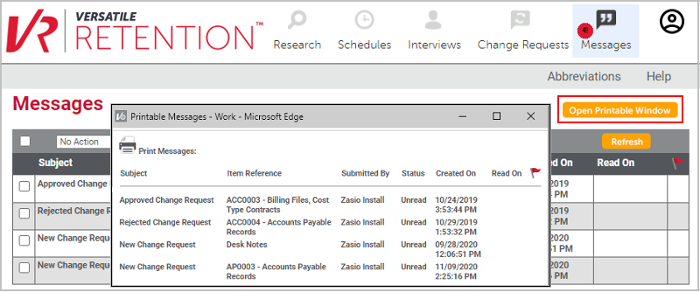
2. In the popup window that opens, click
Print Messages. The browser print window appears.
3. Select the desired printer, page range,
number of copies, etc., and click Print.
